
How to reset and test a Parent password
Feb 27, 2024●
1
Navigate to https://events.schoolbooking.com/
2
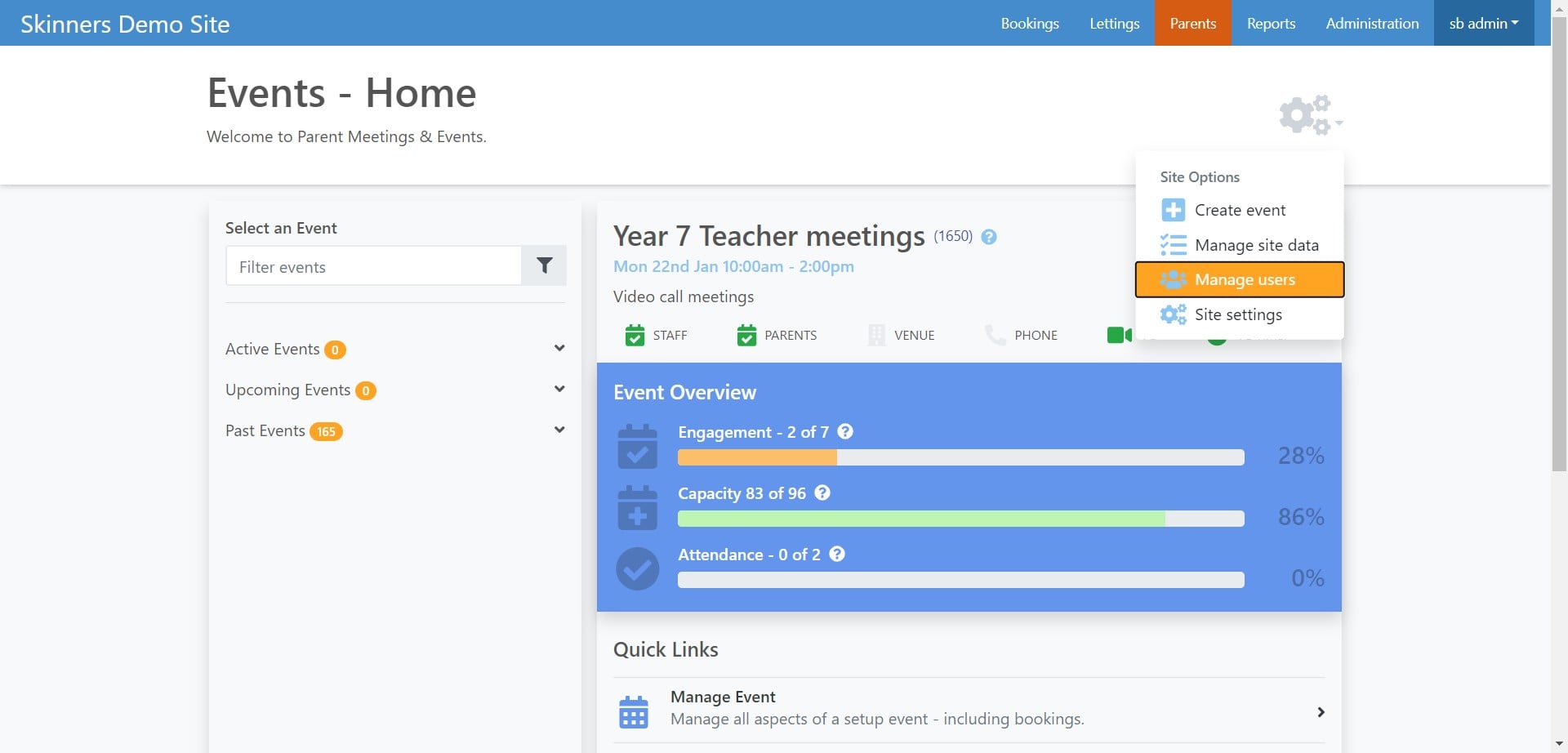
Click the settings cog
 the settings cog](https://assets.guidejar.com/uploads/1c03ae4d-30b4-4101-832c-ec45e81f6b3d/NXlDYRmejzUjUHaHX15uxkLvnuC2/099a2de7-94df-4553-adeb-ead799187fb0/1708705546344.jpeg)

3
Select Manage users
4
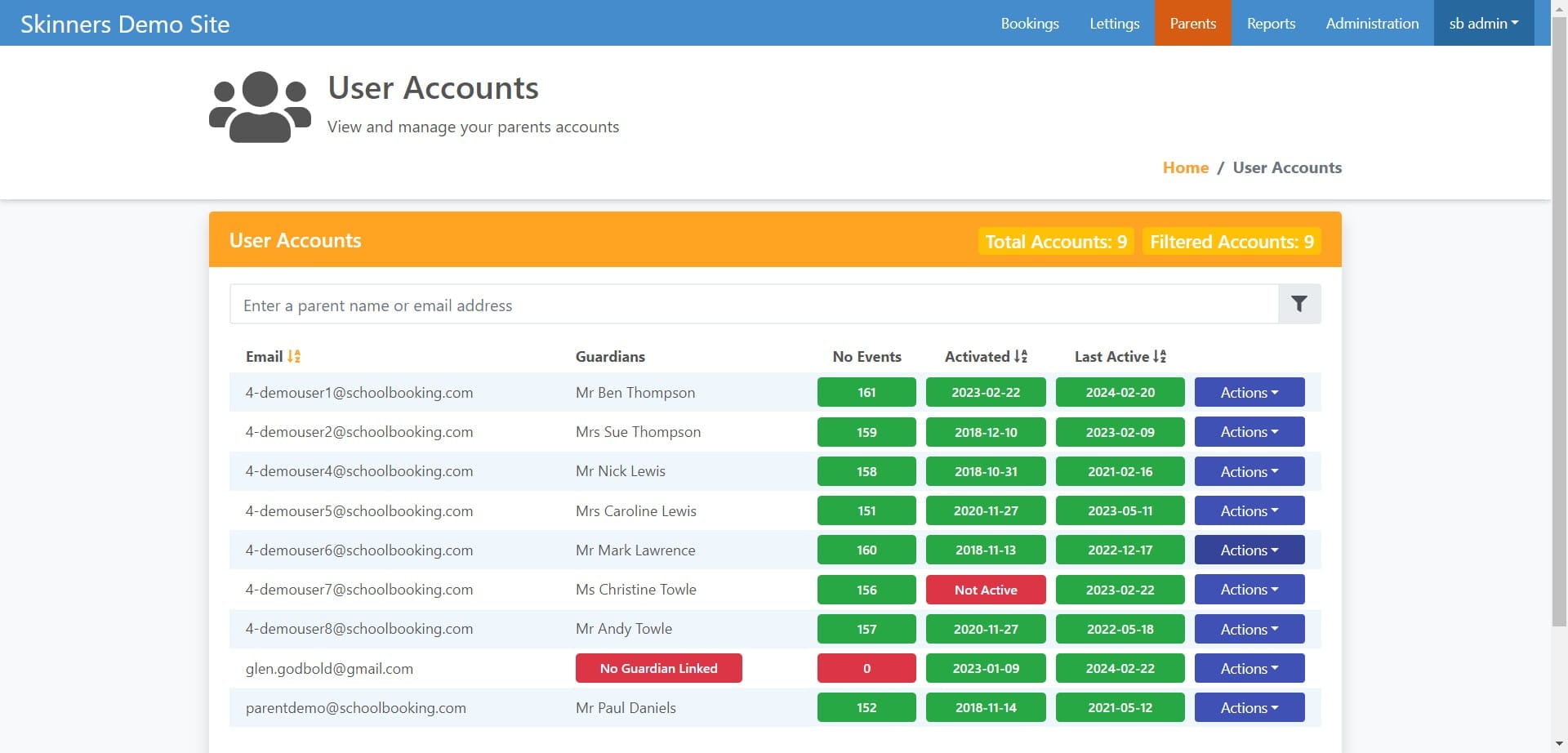
Find the Parent/Guardian user account and click on "Actions"
5
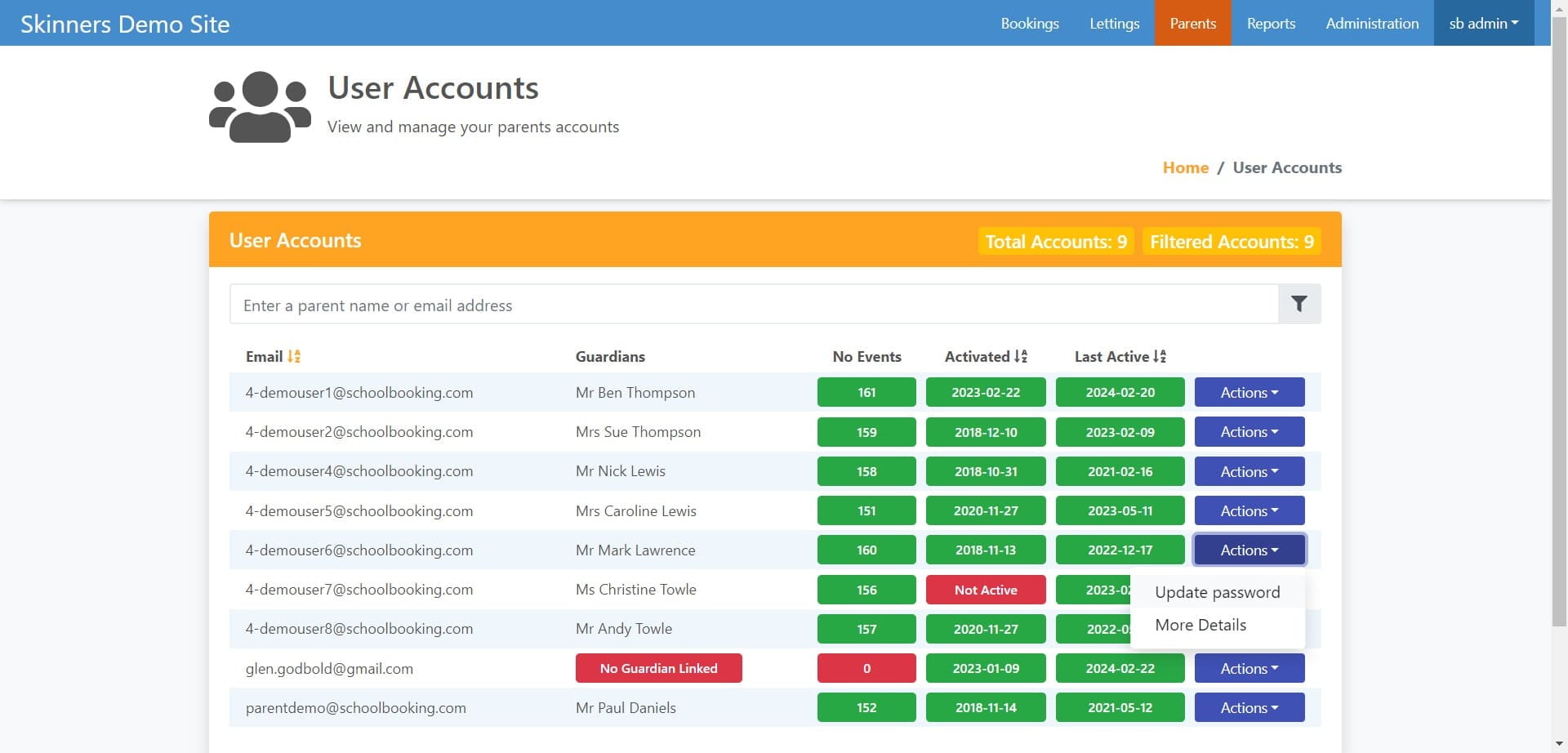
Click on "Update password"
6
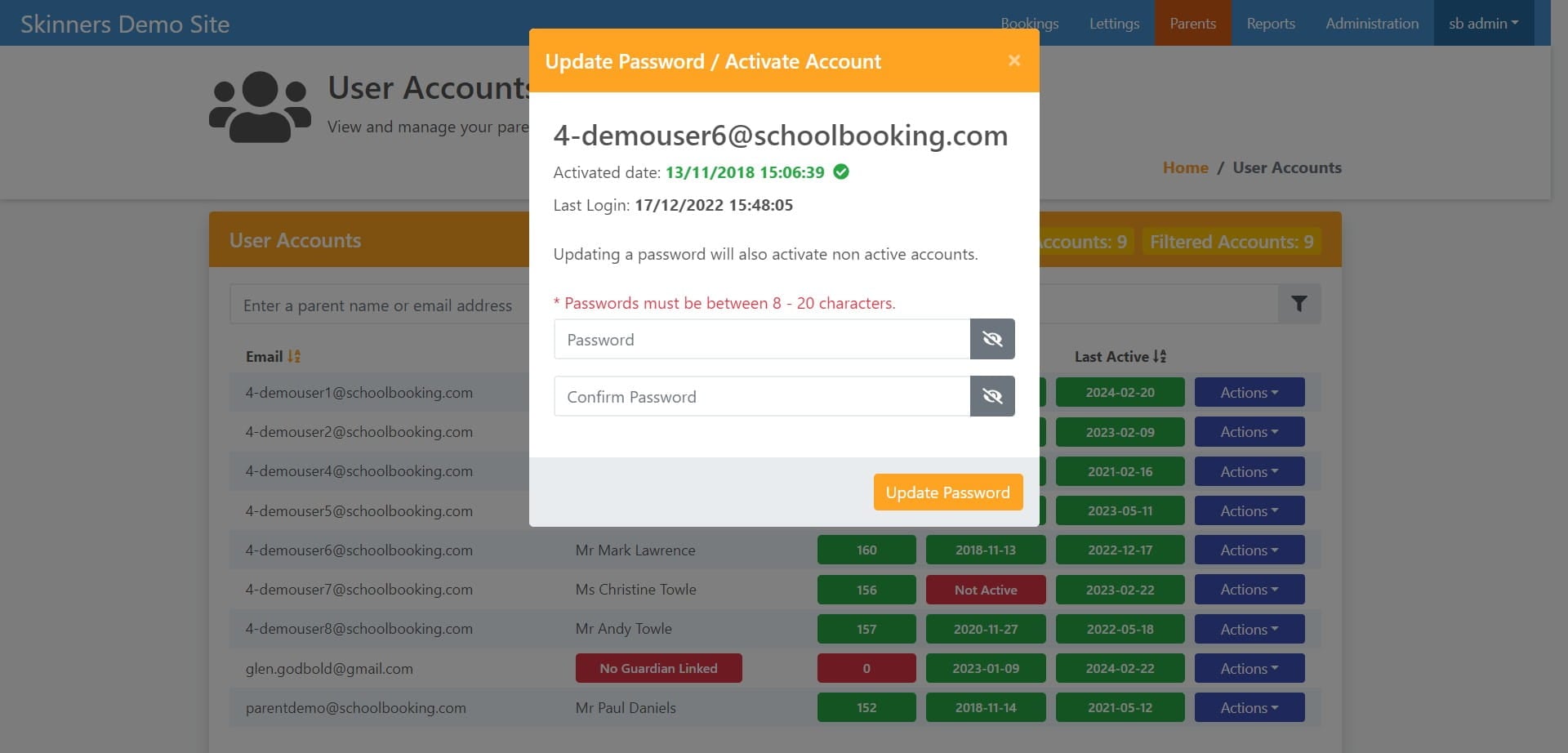
Create a new password and select Update Password
7
When you have reset the parent password you can test by going to the parents login page at https://parents.events.schoolbooking.com/
](https://assets.guidejar.com/uploads/1c03ae4d-30b4-4101-832c-ec45e81f6b3d/NXlDYRmejzUjUHaHX15uxkLvnuC2/085ce621-e4f6-47d6-a425-b21cea2c504c/1708706495416.jpeg)